Set your working hours
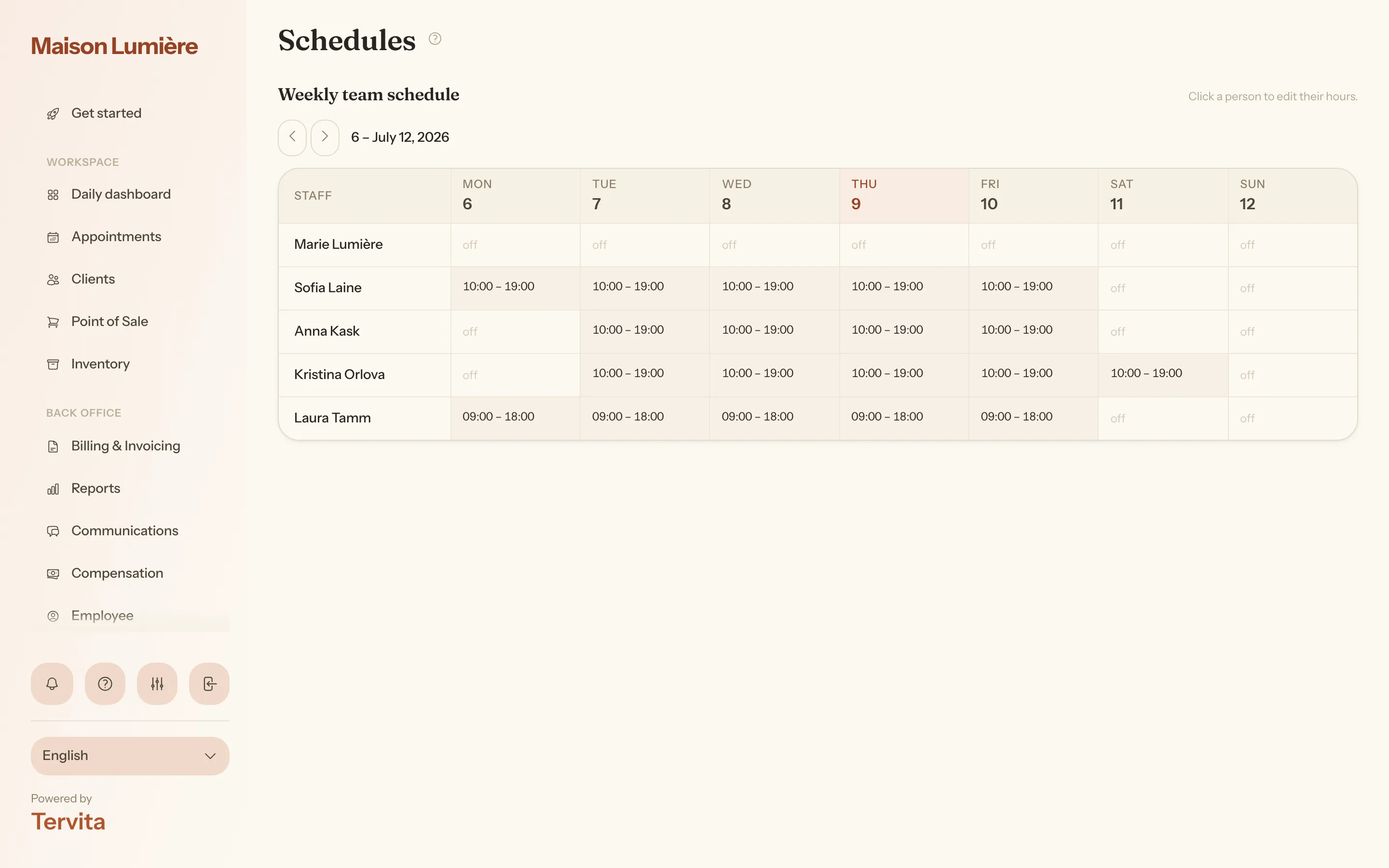
Opening hours are your clinic's general hours for the week. Online booking itself follows each specialist's own schedule in Schedules: clients can book a specialist only inside that person's hours for the date, and the clinic's opening hours do not cut those hours short.
The pre-set schedule
When you create a clinic, Tervita pre-sets the opening hours to Monday-Friday, 09:00-17:00. Right after signup the daily dashboard shows a one-time Set your working hours prompt - open the setup from it or dismiss it with Later.
Change the hours
- Open Settings > Opening hours. (Right after signup you can also press Set hours on the dashboard prompt.)
- Set the opening and closing time for each weekday, and switch off the days you are closed.
- Save.
Per-employee schedules
Besides the clinic-wide hours, each employee has their own schedule under Schedules: a weekly pattern or rotating shifts, different hours for any specific date, days off and vacations - see Schedules: shifts, days off and vacations. This is what online booking follows: a time is offered only when the chosen specialist is working then, on days the clinic is open or closed alike, and a booking may run past the clinic's closing time. A specialist with no hours on a date can't be booked online that day.
Good to know
- Existing appointments are never moved or cancelled when you change working hours - the change only affects new bookings.
- A time outside the specialist's own hours is simply not offered on the booking page; no error is shown.